


Page 11 - Demo
P. 11
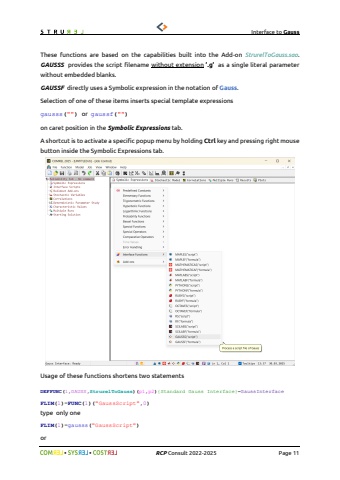
Interface to Gauss%uf09f %uf09f RCP Consult 2022-2026 Page 119. Simplified interface functionsTo facilitate usage of Gauss Interface two single argument functions were implemented. In the main menu under Function\\Insert\\Interface Functions you can find two menu items GAUSSS and GAUSSFThese functions are based on the capabilities built into the Add-on StrurelToGauss.sao. GAUSSS provides the script filename without extension %u2019.g%u2019 as a single literal parameter without embedded blanks. GAUSSF directly uses a Symbolic expression in the notation of Gauss. Selection of one of these items inserts special template expressionsgausss(\on caret position in the Symbolic Expressions tab.A shortcut is to activate a specific popup menu by holding Ctrl key and pressing right mouse button inside the Symbolic Expressions tab.


